How to download file from administration-etrangers-en-france.interieur.gouv.fr “Une erreur est survenue lors du chargement”
Hướng dẫn Download File nếu bị lỗi từ administration-etrangers-en-france.interieur.gouv.fr
Mã lỗi: “Une erreur est survenue lors du chargement du document “Attestation de décision”, veuillez réessayer.”

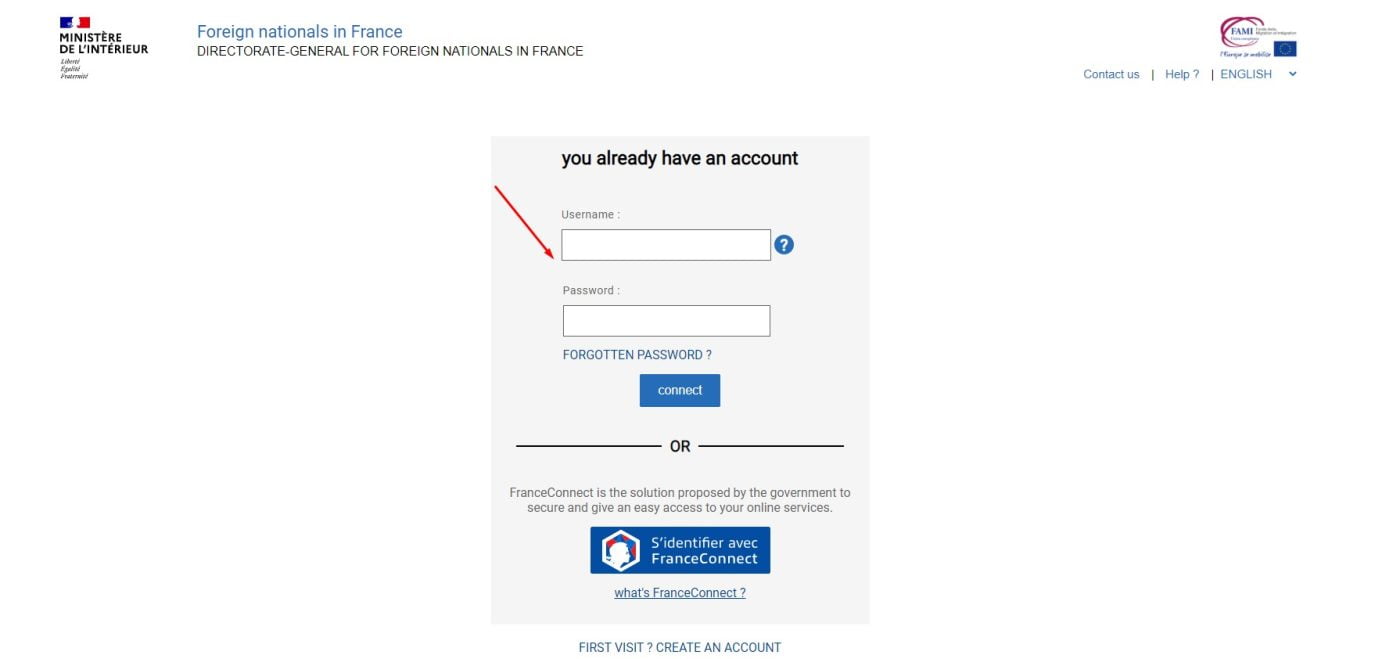
Bước 1: Đăng nhập và truy cập vào trang để tải Notification de décision
(Step 1: Login and go to the page to download your “Notification de décision” or your “Notification de prolongation de l’instruction”)
Bước 2: Copy mã ở cuối đường link
(Step 2: go to the page to download your “Notification de décision” or your “Notification de prolongation de l’instruction”)
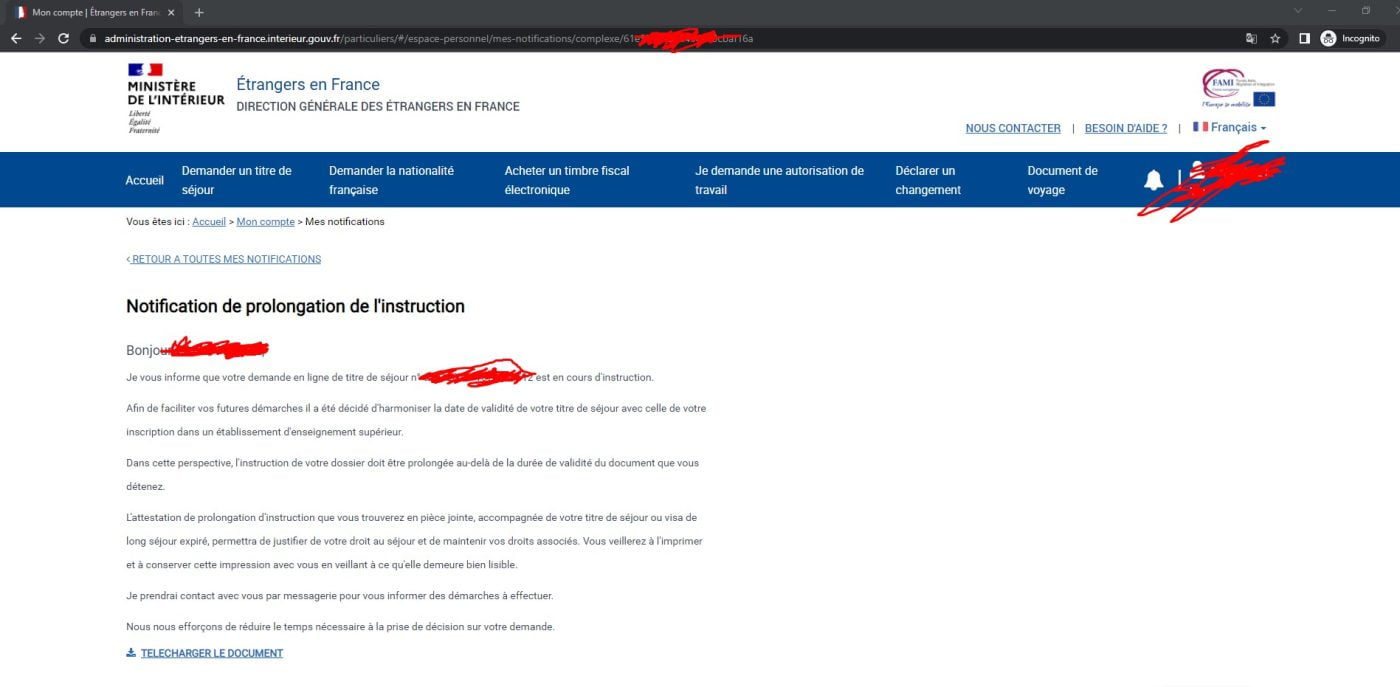
Bước 3: Copy mã ở cuối đường link
(Step 3: Copy the text at the end of the link)
Ví dụ (Example):
https://administration-etrangers-en-france.interieur.gouv.fr/particuliers/#/espace-personnel/mes-notifications/complexe/xxxxxxxxxxxx

Bước 4: Hãy lấy dãy chữ và số ở cuối link [xxxxxxxxxxxx] và nhập vào ô bên dưới đây và ấn “Lấy dữ liệu”
(Step 4: Copy the text [xxxxxxxxxxxx], put it below and click “Show Data”)
Bước 5: Khi link đã mở ra, chọn và copy toàn bộ (CTRL + A, CTRL + C) dữ liệu của trang vừa mở vào ô bên dưới đây và ấn Tải file dữ liệu ( Nếu link mở ra chỉ có 2 ký tự {} , bạn hãy thực hiện lại từ bước 1 hoặc liên hệ với mình qua email : [email protected] )
(Step 5: Select and Copy (CTRL + A, CTRL + C) all the page from the “Show data button” and put it in the input box below and click Download your document)

Tải file (Download your document)
Notice: We do not store any of your information on this page. Any other risks associated with these information are not our responsibility. Thank you.
Chú ý: Chúng tôi không lưu trữ bất cứ thông tin gì bạn đã nhập hay tải về. Bất cứ rủi ro nào khác liên quan đến việc này đều không thuộc trách nhiệm của chúng tôi. Xin chân thành cám ơn.
Bình luận